Version 1.0.0
@stackline/update-notifier
Update notifications for your CLI app
Independent maintenance of update-notifier 6.0.2. Original authors and licenses are retained.
Installation
# Preserve existing imports with an npm alias
npm install update-notifier@npm:@stackline/update-notifier@1.0.0
# Or use the scoped package name in your imports
npm install @stackline/update-notifier@1.0.0
Node.js: >=14.16. Read the compatibility and maintenance notes before migrating.
Usage and API
The reference below may retain upstream package names. Use the alias installation above to run those imports with this Stackline release.
update-notifier
Update notifications for your CLI app
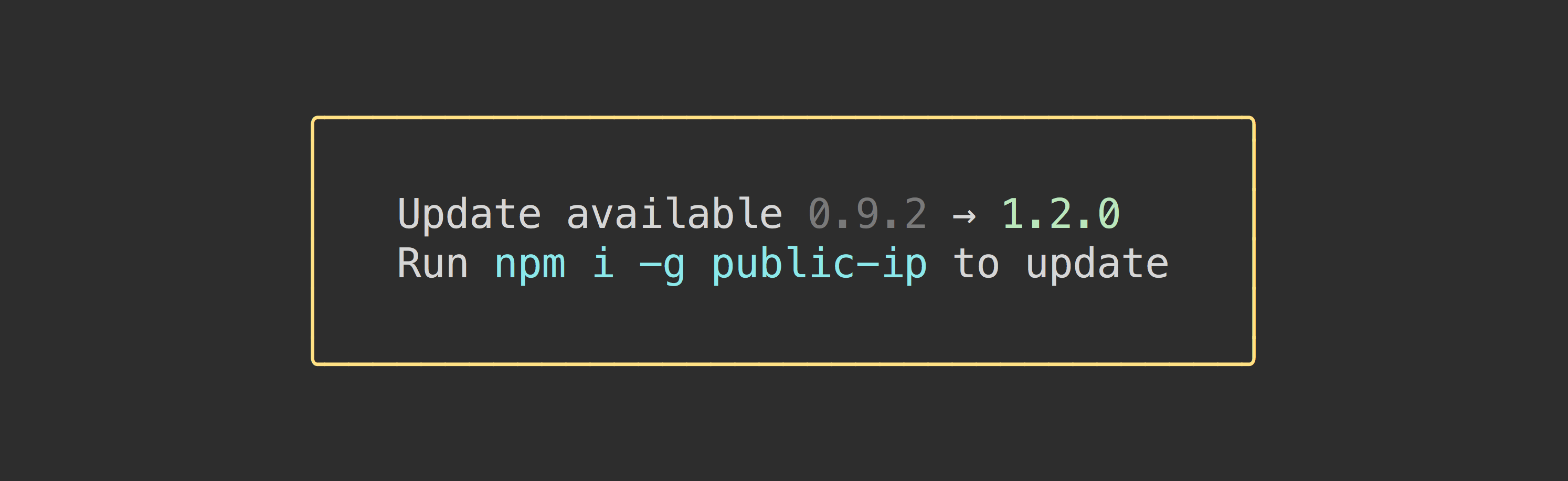
Inform users of your package of updates in a non-intrusive way.
Contents
Install
npm install update-notifier
Usage
Simple
import updateNotifier from 'update-notifier';
import packageJson from './package.json' assert {type: 'json'};

updateNotifier({pkg: packageJson}).notify();
Comprehensive
import updateNotifier from 'update-notifier';
import packageJson from './package.json' assert {type: 'json'};

// Checks for available update and returns an instance
const notifier = updateNotifier({pkg: packageJson});

// Notify using the built-in convenience method
notifier.notify();

// `notifier.update` contains some useful info about the update
console.log(notifier.update);
/*
{
    latest: '1.0.1',
    current: '1.0.0',
    type: 'patch', // Possible values: latest, major, minor, patch, prerelease, build
    name: 'pageres'
}
*/
Options and custom message
const notifier = updateNotifier({
    pkg,
    updateCheckInterval: 1000 * 60 * 60 * 24 * 7 // 1 week
});

if (notifier.update) {
    console.log(`Update available: ${notifier.update.latest}`);
}
How
Whenever you initiate the update notifier and it's not within the interval threshold, it will asynchronously check with npm in the background for available updates, then persist the result. The next time the notifier is initiated, the result will be loaded into the .update property. This prevents any impact on your package startup performance.
The update check is done in a unref'ed child process. This means that if you call process.exit, the check will still be performed in its own process.
The first time the user runs your app, it will check for an update, and even if an update is available, it will wait the specified updateCheckInterval before notifying the user. This is done to not be annoying to the user, but might surprise you as an implementer if you're testing whether it works. Check out example.js to quickly test out update-notifier and see how you can test that it works in your app.
API
notifier = updateNotifier(options)
Checks if there is an available update. Accepts options defined below. Returns an instance with an .update property if there is an available update, otherwise undefined.
options
Type: object
pkg
Type: object
name
Required
Type: string
version
Required
Type: string
updateCheckInterval
Type: number
Default: 1000 * 60 * 60 * 24 (1 day)
How often to check for updates.
shouldNotifyInNpmScript
Type: boolean
Default: false
Allows notification to be shown when running as an npm script.
distTag
Type: string
Default: 'latest'
Which dist-tag to use to find the latest version.
notifier.fetchInfo()
Check update information.
Returns an object with:
latest(String) - Latest version.current(String) - Current version.type(String) - Type of current update. Possible values:latest,major,minor,patch,prerelease,build.name(String) - Package name.
notifier.notify(options?)
Convenience method to display a notification message. (See screenshot)
Only notifies if there is an update and the process is TTY.
options
Type: object
defer
Type: boolean
Default: true
Defer showing the notification to after the process has exited.
message
Type: string
Default: See above screenshot
Message that will be shown when an update is available.
Available placeholders:
{packageName}- Package name.{currentVersion}- Current version.{latestVersion}- Latest version.{updateCommand}- Update command.
notifier.notify({message: 'Run `{updateCommand}` to update.'});

// Output:
// Run `npm install update-notifier-tester@1.0.0` to update.
isGlobal
Type: boolean
Default: Auto-detect
Include the -g argument in the default message's npm i recommendation. You may want to change this if your CLI package can be installed as a dependency of another project, and don't want to recommend a global installation. This option is ignored if you supply your own message (see above).
boxenOptions
Type: object
Default: {padding: 1, margin: 1, textAlignment: 'center', borderColor: 'yellow', borderStyle: 'round'} (See screenshot)
Options object that will be passed to boxen.
User settings
Users of your module have the ability to opt-out of the update notifier by changing the optOut property to true in ~/.config/configstore/update-notifier-[your-module-name].json. The path is available in notifier.config.path.
Users can also opt-out by setting the environment variable NO_UPDATE_NOTIFIER with any value or by using the --no-update-notifier flag on a per run basis.
The check is also skipped automatically:
- on CI
- in unit tests (when the
NODE_ENVenvironment variable istest)
About
The idea for this module came from the desire to apply the browser update strategy to CLI tools, where everyone is always on the latest version. We first tried automatic updating, which we discovered wasn't popular. This is the second iteration of that idea, but limited to just update notifications.
Users
There are a bunch projects using it:
- npm - Package manager for JavaScript
- Yeoman - Modern workflows for modern webapps
- AVA - Simple concurrent test runner
- XO - JavaScript happiness style linter
- Node GH - GitHub command line tool
Tidelift helps make open source sustainable for maintainers while giving companies
assurances about security, maintenance, and licensing for their dependencies.
Upstream issues and maintenance review
Upstream origin and triage
- Original package:
update-notifier@6.0.2 - Repository: https://github.com/yeoman/update-notifier
- Source commit: https://github.com/yeoman/update-notifier/commit/3b6b9b18428aa3848960f02df53cb571a7620a51
- Source directory:
. - npm tarball: https://registry.npmjs.org/update-notifier/-/update-notifier-6.0.2.tgz
- SHA512 integrity:
sha512-EDxhTEVPZZRLWYcJ4ZXjGFN0oP7qYvbXWzEgRm/Yql4dHX5wDbvh89YHP6PK1lzZJYrMtXUuZZz8XGK+U6U1og== - npm last-release age selects maintenance scope; it does not imply no ongoing source development.
Reviewed issues
Primary-source snapshot: 2026-09-29T00:22:23.297567+00:00. Most recently updated 100 open and 30 closed issue/PR entries; PRs removed. This is triage evidence, not a claim of exhaustive review.
Maintenance adoption with preserved runtime payload. No runtime defect correction is claimed. Reports remain visible for subsequent targeted reproduction.
- 100: Private npm registry
- 240: TypeScript types
- 210: Run in child process instead of lazy loading every dependency
- 213: Notify Option to show Changelog in default message.
- 220: Fix tests on Linux
- 172: Default
pkgto the current package - 180: Better adhere to XDG specification
- 209: Notification is only displayed at most once per interval
- 201: Update notifier not working with public npm package
- 196: Conflicts happen if two projects use the same local package
- 170: Log using process.stderr.write instead of console.error since this isn't an error
- 169: check.js: Please don't run checkNpm when disabled is true
- 129: Allow simply showing notification for manual checks (with callback)
- 139: Should isGlobal work with npm link?
- 140: update-notifier creates lots of troubles
- 137: EACCES or EPERM improvement
- 120: Make it work for Semantically Release packages
- 56: Package deprecation notice
- 112: Bad advice when using npx
The structured snapshot in .stackline/issue-triage.json also records recently closed reports. Issues for unrelated packages in shared monorepositories were qualified as outside this fork’s runtime scope. No maintainer was contacted.
Release files and references
Package bytes, npm provenance and the immutable GitHub release were verified for this version. Security checks describe the reviewed release; documented compatibility risks and upstream reports are not blanket claims of resolution.